App 01
iPhone & iPad
Slate.
Ready. Set. Take.
A digital clapperboard for iPhone and iPad. Keep scene, shot and take big and clear on set, tap to clap, lock between takes, and pick up exactly where you left off.
Try it here
Give it a clap.
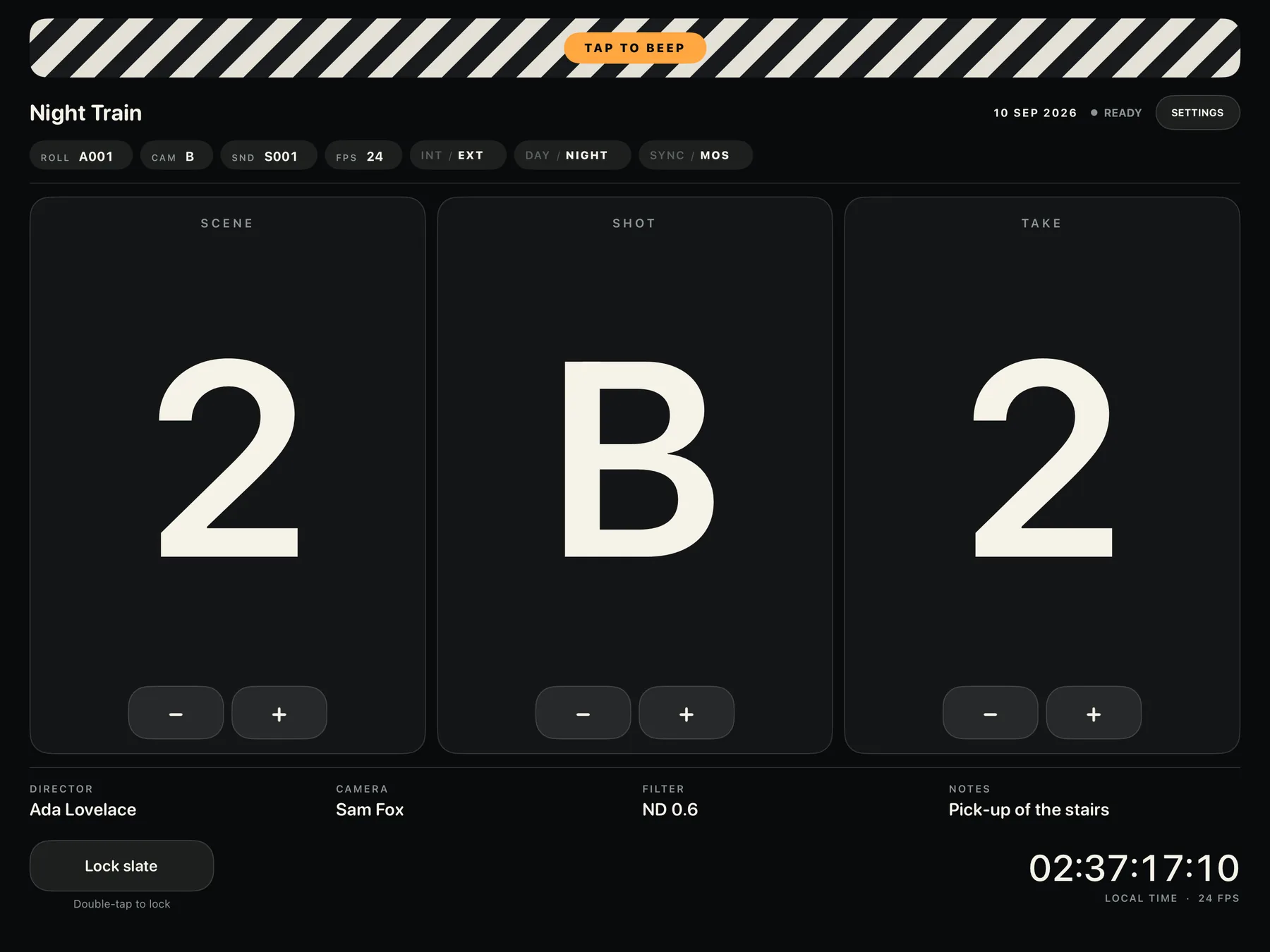
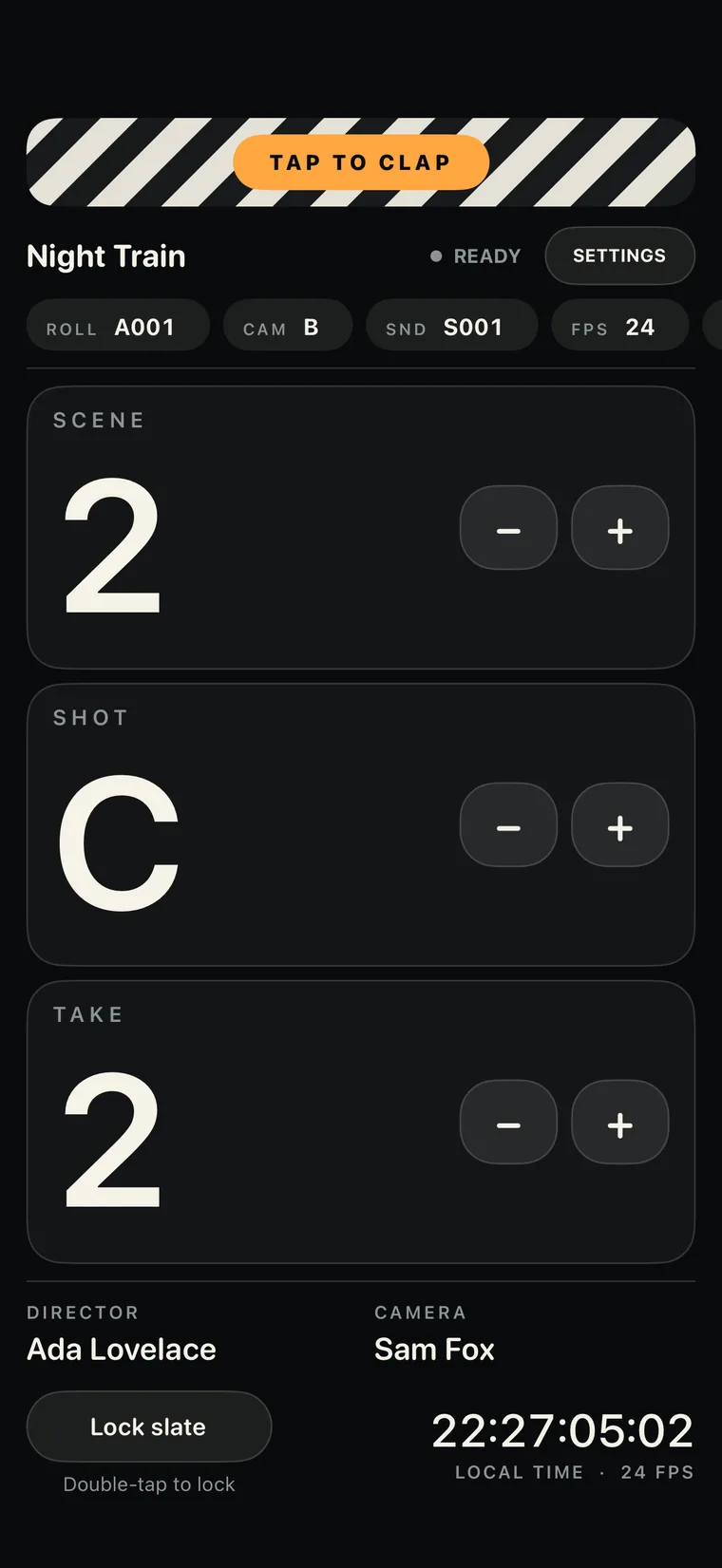
This is a working web version of Slate’s main screen. Step the counters, flip the tags, double-tap the lock, and tap the striped bar for Slate’s own clap.
Night Train
Scene
2
Shot
B
Take
1
Double-tap to lock
Local time · 24 fps
A browser preview for a quick feel. The app itself is native, works offline and remembers everything between sessions.
What it does
Just what you need on set.
Slate keeps the essentials big and clear, then gets out of the way.
Scene, shot and take
Big, high-contrast counters you can read across the set. Scene and take count up; shot steps through A to Z.
Tap to clap
A natural clap or a clean beep, with adjustable volume and an optional screen flash that marks the same instant. It plays even in Silent Mode.
Double-tap lock
Lock the counters between takes so a stray touch can’t change them. The clapper stays live, and the lock works with VoiceOver and Switch Control.
Production details
Production, director, camera operator, camera and sound rolls, filter and notes, laid out like a real slate.
Quick tags
Camera letter, INT/EXT, DAY/NIGHT and SYNC/MOS change with a single tap.
Take automation
Reset the take for a new scene or shot, and optionally step to the next take 0–120 seconds after each clap.
Clock reference
Local time as HH:MM:SS:FF at 24, 25, 30, 48, 50 or 60 fps, ticking even while the slate is locked.
Right where you left it
Counters, details and settings save as you go and come back when you reopen. The screen stays awake while Slate is open.
iPhone and iPad
Portrait and landscape layouts on both. Landscape makes the counters huge; portrait adds room for the written details.
Screenshots
Every angle, covered.
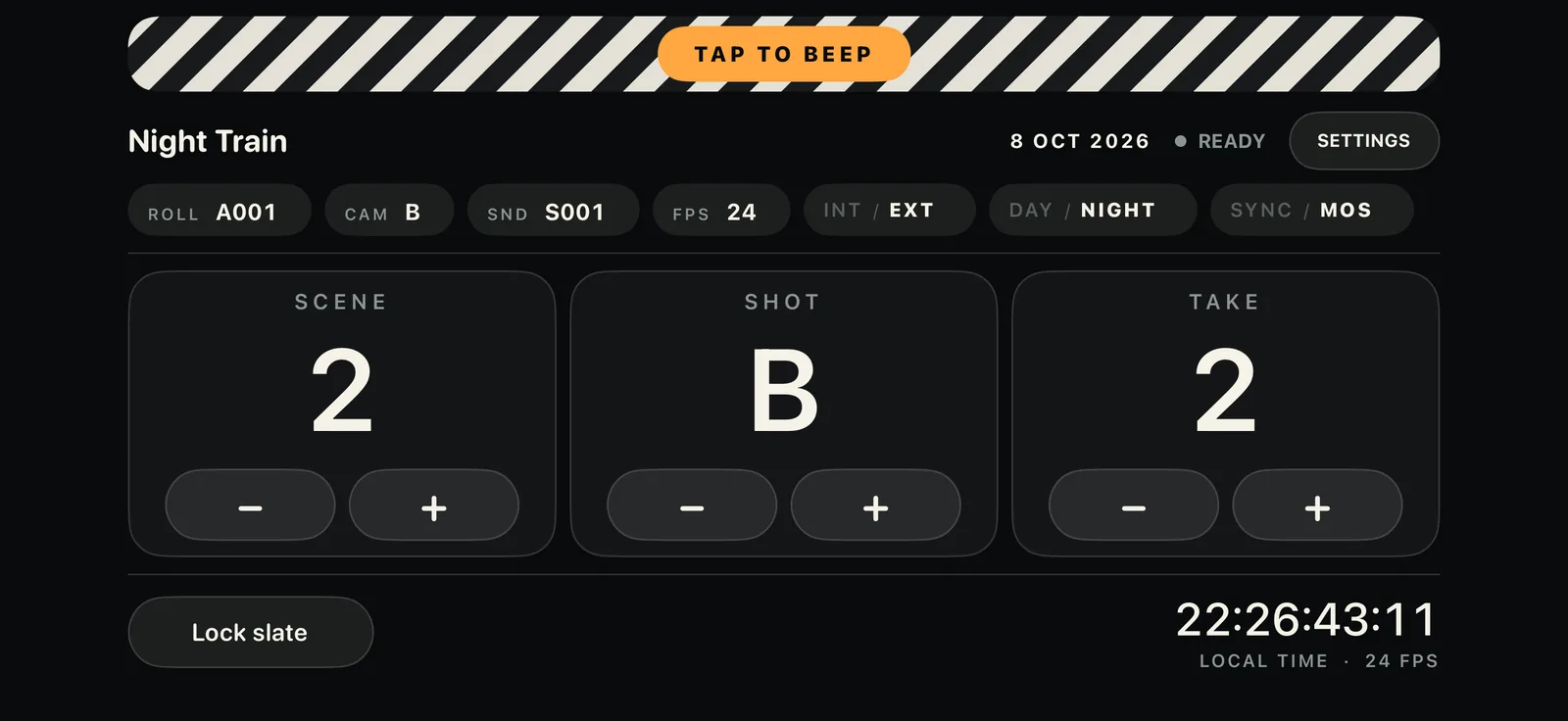
Big, clear counters
Landscape puts scene, shot and take front and centre.
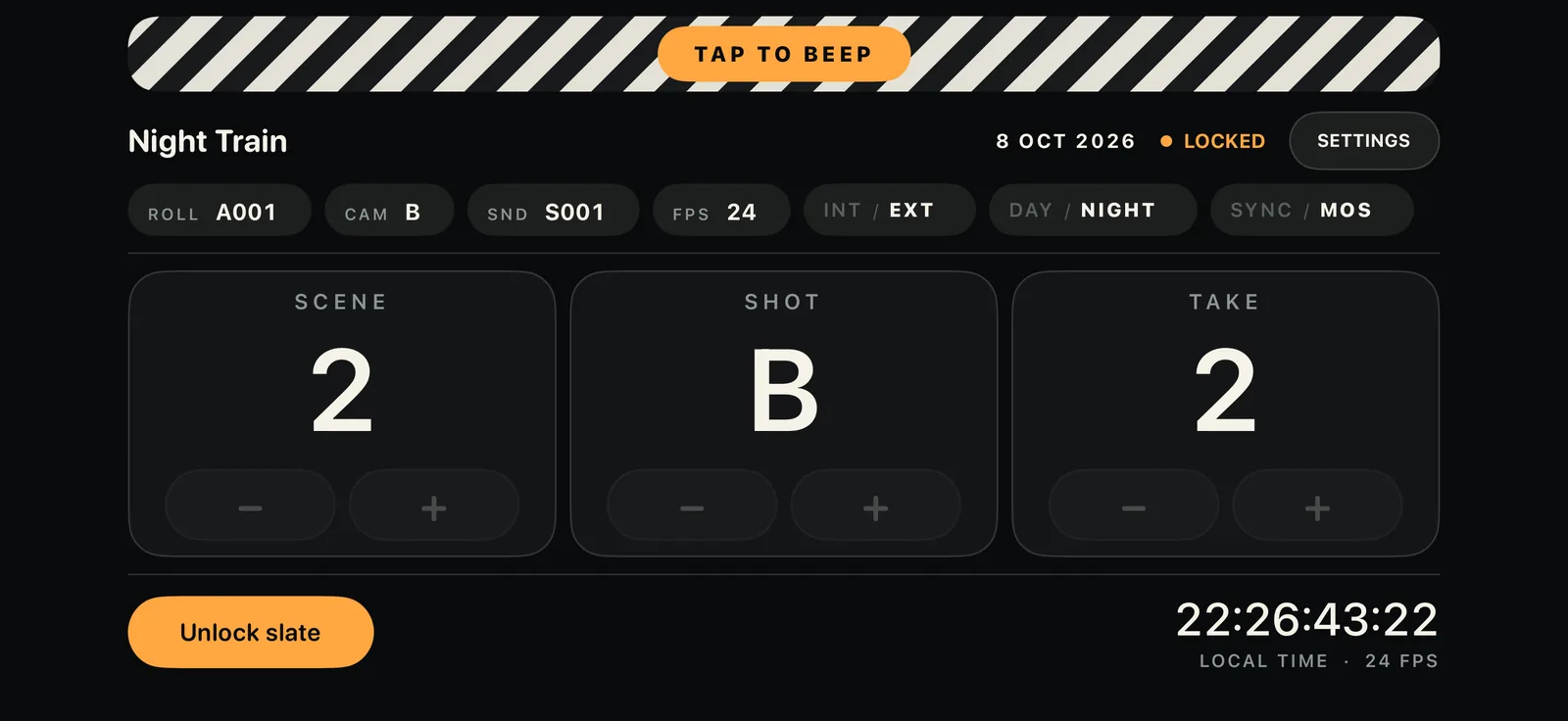
Locked between takes
Counters dim and ignore touches. The clapper still works.
Room for details
Portrait adds the director and camera lines.
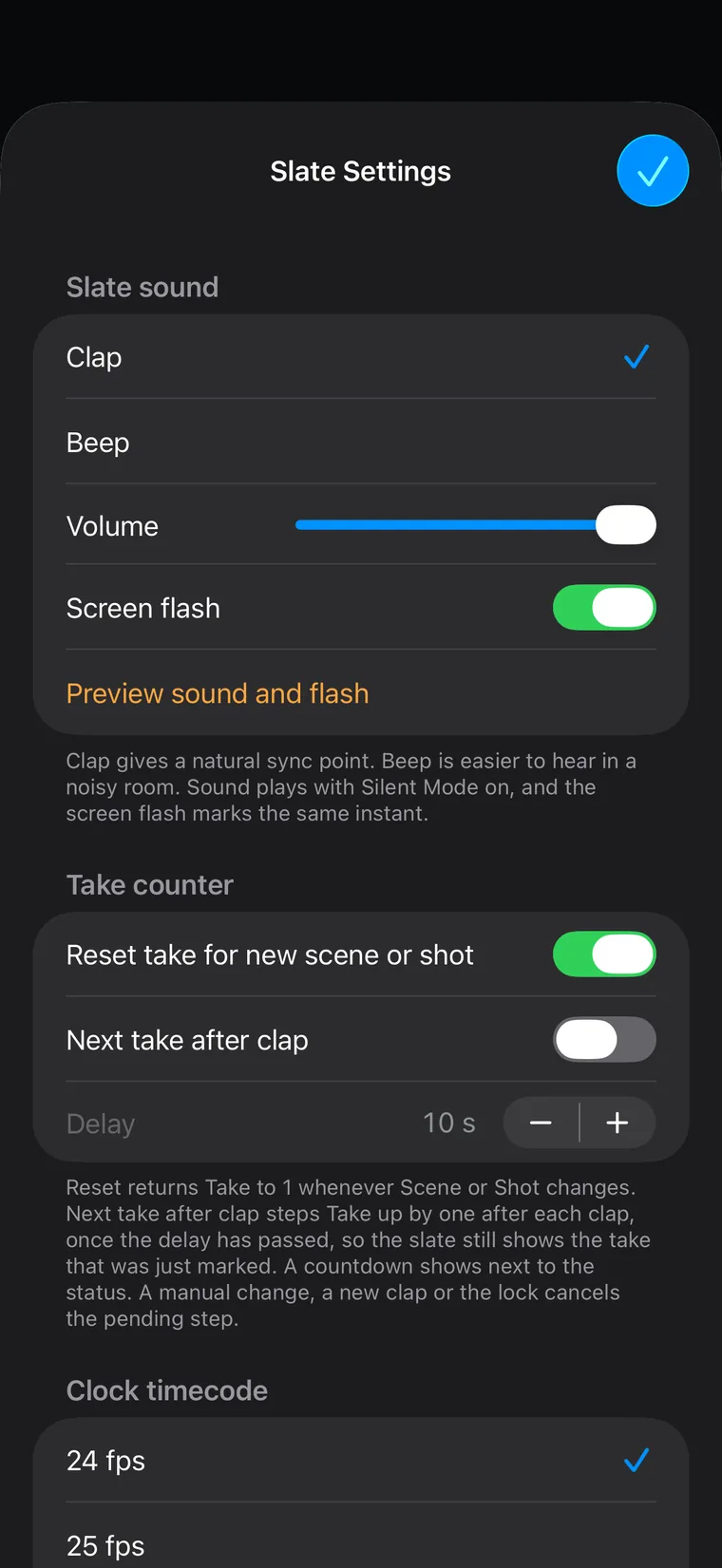
Your sound, your rules
Clap or beep, flash, take automation and frame rate.
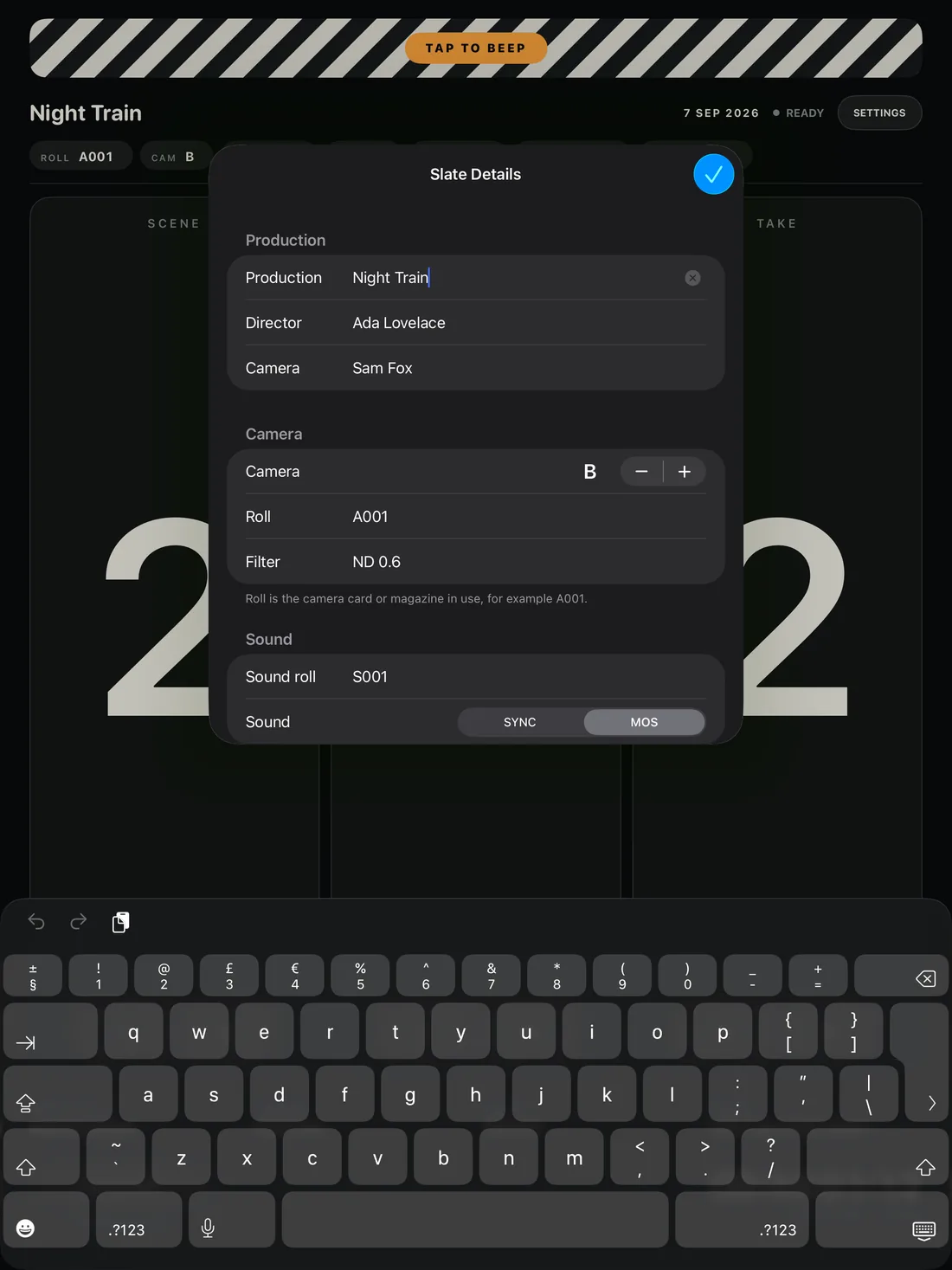
Every field of a real slate
Production, director, camera, rolls, filter and notes.
Made for iPad, too
A full-size slate that fills the frame.
Good to know
Honest small print.
The clock isn’t synchronised timecode.
It shows your device’s local time as a visual reference. It doesn’t sync to a camera or output timecode to recording equipment.
The lock protects Slate, not your device.
It stops stray taps on the counters, but not the Home gesture or power button. Use Guided Access if you need to keep the device in Slate.
Details
The specs.
- Price
- Free, with every feature
- Works on
- iPhone and iPad
- Requires
- iOS 15 or later
- Internet
- Not needed
- Account
- None
- Data collected
- None
- Built with
- Swift and UIKit
Questions
Slate FAQ.
Something else? Visit support.
Your next take starts here.
Slate is on its way to the App Store, free for iPhone and iPad. Until then, the source is on GitHub.